 AcatA
AcatA
App data
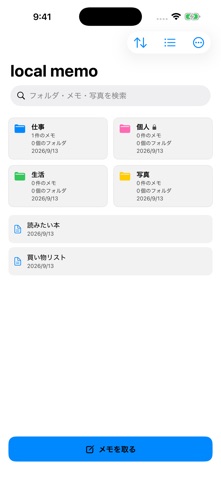
No account is required. Notes, folders, photos, attachments and recordings are stored on your device. The app has no advertising or analytics SDKs and does not send your content to the developer’s servers. It has no app-managed cloud sync.
Notes and folders
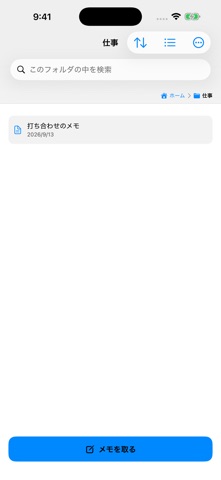
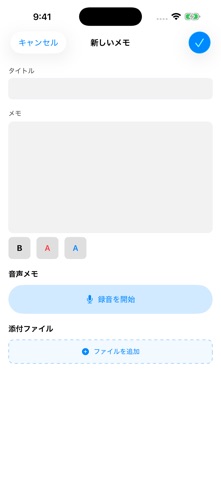
Open the editor with the new-note button and save with the checkmark. Create folders from the “…” menu. Folders can be nested up to 15 levels. Use search to find your content.
Locks and colors
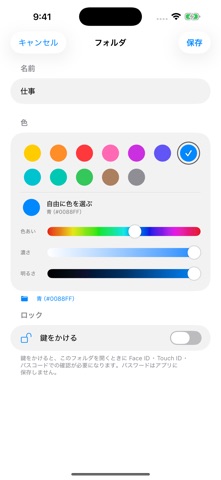
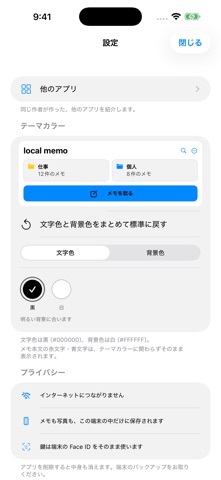
Long-press a folder to edit its name, color and lock. A device passcode is required for locking; there is no separate app password. In Settings, choose a background color and black or white text. Reset the colors if your choices are hard to read.
Photos, recordings and widgets
Add photos from the folder menu and files or voice recordings from the note editor. Deleting an imported photo’s copy in the app does not delete the original in your photo library. Open the app once before using the widget. Locked folder contents do not appear in widgets.
Moving devices and languages
The app has no built-in iCloud sync. Check your device backup before moving to a new device; what can be restored depends on that backup. The app follows your iOS or iPadOS language settings. Use the selector at the top of this page to choose from 20 languages.
Contact
Email your device model, OS and app versions, and the steps that cause the problem. No confidential content is needed. A reply may take some time.
bunbuncat.support@gmail.com